Zona Logo
PyCharm
Code Editors / IDE
Rated 5.0/5 from 444 votes
Brand Info
Report outdated or incorrect assets.
3+ PyCharm Logo PNG & SVG Vectors HD Quality
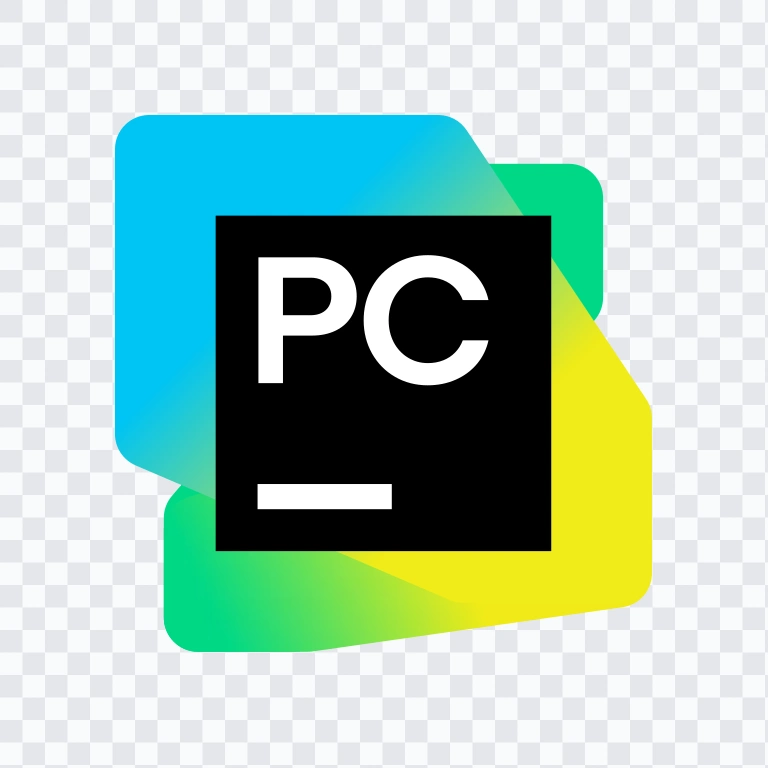

Table of Contents11 sections
- Download PyCharm PNG Logo
- About PyCharm
- Meaning and History of the PyCharm Logo
- Evolution of the Logo
- PyCharm Color Palette
- Frequently Asked Questions
- Can I use the PyCharm logo for commercial purposes?
- What file formats are available?
- What is PyCharm used for?
- Who makes PyCharm?
- What does the PyCharm symbol represent?
Welcome to Zona Logo. You can download the PyCharm logo in PNG and SVG formats. You can also download the PNG logo with a transparent background in high resolution (HD) for free.
Download PyCharm PNG Logo
Please select the file above according to your needs, then press the download button to obtain the desired file:
| File Name | PyCharm |
| File Type | PNG, SVG |
| File Size | 18 KB - 240 KB |
The available asset variants include a colored icon SVG, a light logo SVG, and a colored logo SVG, giving you flexible options for dark and light layouts, presentations, product pages, and developer documentation.
About PyCharm
PyCharm is an integrated development environment from JetBrains s.r.o., the software company headquartered in Prague, Czech Republic. Released in 2010, it is built specifically for Python development and serves developers who need a professional workspace for writing, running, testing, debugging, and refactoring Python code.
The product supports a wide range of modern Python workflows, including backend development, web development, data science, machine learning, AI development, notebook-based work, database tasks, testing, package management, virtual environments, Git, and integrations with tools and frameworks such as Django, Flask, FastAPI, PyTorch, TensorFlow, Hugging Face, Conda, and Jupyter. This makes it relevant for Python developers, backend teams, data scientists, researchers, students, and enterprise engineering groups.
Within JetBrains’ ecosystem, PyCharm sits alongside other developer tools but remains focused on Python-first productivity. Its brand message centers on intelligent coding support, practical workflow integration, and a polished developer experience.
Meaning and History of the PyCharm Logo
The PyCharm logo uses a compact product monogram built around the letters “PC” inside a black square. Behind it sits a bright JetBrains-style color field that uses green, blue, cyan, yellow, white, and related tones from the brand palette. The combination mark pairs a technical, high-contrast icon with a more expressive background treatment, creating a visual balance between precision and creative energy.
As a standalone product icon, the monogram is easy to recognize in launchers, toolbars, app listings, and developer dashboards. When paired with the wordmark, the identity becomes more explicit and works well in product pages and brand collateral. The PyCharm logo is especially effective because the symbol is simple, compact, and readable at small sizes while still carrying the broader JetBrains visual style.
Evolution of the Logo
The current asset system centers on a product icon and matching wordmark, with colored and light SVG versions available for practical deployment across different interface and marketing contexts.
PyCharm Color Palette
The PyCharm visual palette uses only the colors provided in the brand set:
- #000000 Black — used for the square mark, creating contrast and focus.
- #00C0FF Dodger Blue — part of the bright JetBrains-style color system.
- #FFFF00 Yellow — adds high-energy accent visibility.
- #00C080 Light Sea Green — contributes to the cool, digital tone.
- #FFFFFF White — supports legibility in the monogram and light layouts.
- #80FF40 Green Yellow — introduces a vivid, modern highlight.
- #40C0C0 Turquoise — reinforces the tech-forward color field.
Used together, these colors create a brand system that feels modern, technical, and recognizable within JetBrains’ ecosystem. The black monogram delivers structure, while the brighter palette gives the product its energetic visual identity. For users searching for the PyCharm PNG logo or PyCharm SVG assets, these color treatments help maintain consistency across digital and print use.
Frequently Asked Questions
Can I use the PyCharm logo for commercial purposes?
You should ask for official permission before using it commercially.
What file formats are available?
PNG and SVG.
What is PyCharm used for?
PyCharm is used for Python development, including coding, debugging, testing, refactoring, web development, data science, machine learning, and AI-assisted workflows.
Who makes PyCharm?
PyCharm is made by JetBrains s.r.o., a software company based in Prague, Czech Republic.
What does the PyCharm symbol represent?
The symbol is a product monogram with “PC” in a black square, paired with JetBrains-style color treatment to identify the Python IDE within the broader JetBrains product family.
Whether you need the PyCharm logo for documentation, a product directory, or a design system reference, the combination mark and the available vector format options make it practical for clean digital use. If you are preparing a developer-facing page, the PyCharm SVG file is especially useful for scalable display, while the PyCharm PNG version is convenient for quick placement with a transparent background.
AI-Generated Content
This description was generated by AI and may contain inaccuracies.